
What the JoyaGoo estimator prints about steps, and where
The billable weight never appears on the estimator's result cards. The step sizes do, but only inside each line's Detail panel, attached to prices, and only for the weight band you typed. Here is where to look.
The result card shows no billable weight
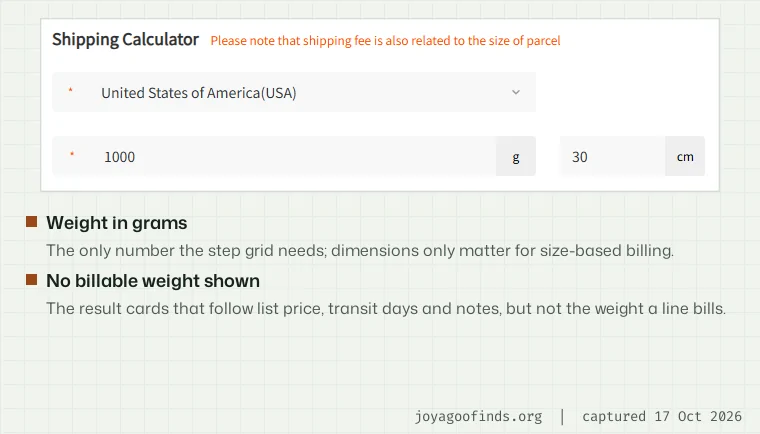
We filled in the official estimator form four times in a headless Chrome browser: the United States at 1,000 g with a 30 × 20 × 10 cm box, and Canada at 300 g, 1,000 g and 1,001 g with a small box. Each time we captured the response the page received and then searched the page's visible text for the billable weights in it.
None appeared. The response carried 1,100 g for the United States lines, 400 g and 450 g for the Canadian lines at 300 g, and 1,500 g at 1,001 g, but the cards showed only the price, the transit window, the line notes and a Detail link.
In the page scripts we checked, the billable-weight field is never read at all. So the reader sees a price built on a weight they are never shown.
Step sizes inside the Detail panel
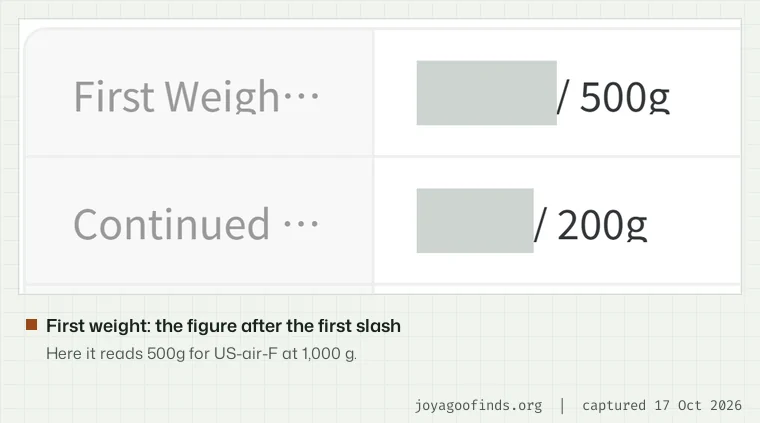
Click Detail on a result card and a panel opens with two halves: Parcel Restriction on the left (weight range, size limit, the rule on size-based weight) and Charge Standard on the right. The step pair is printed there, as the tail end of two price labels.
The first label reads as a price followed by “/ 500g”: that is the first weight. The second reads as a price followed by “/ 200g”: that is the continued step. Ignore the prices and read only what follows each slash, and you have the line's pair.
The panel does not do the rounding for you. It will not tell you that your 1,000 g parcel becomes 1,100 g; you have to apply the pair yourself, or use the grid position finder.
A label that changes with the weight you type
On most lines the Detail labels are the same at every weight. On the four band-switching lines they are not, because the panel prints the pair for the band you are in. Here is CA-air-P(Act weight) at three weights, captured the same morning:
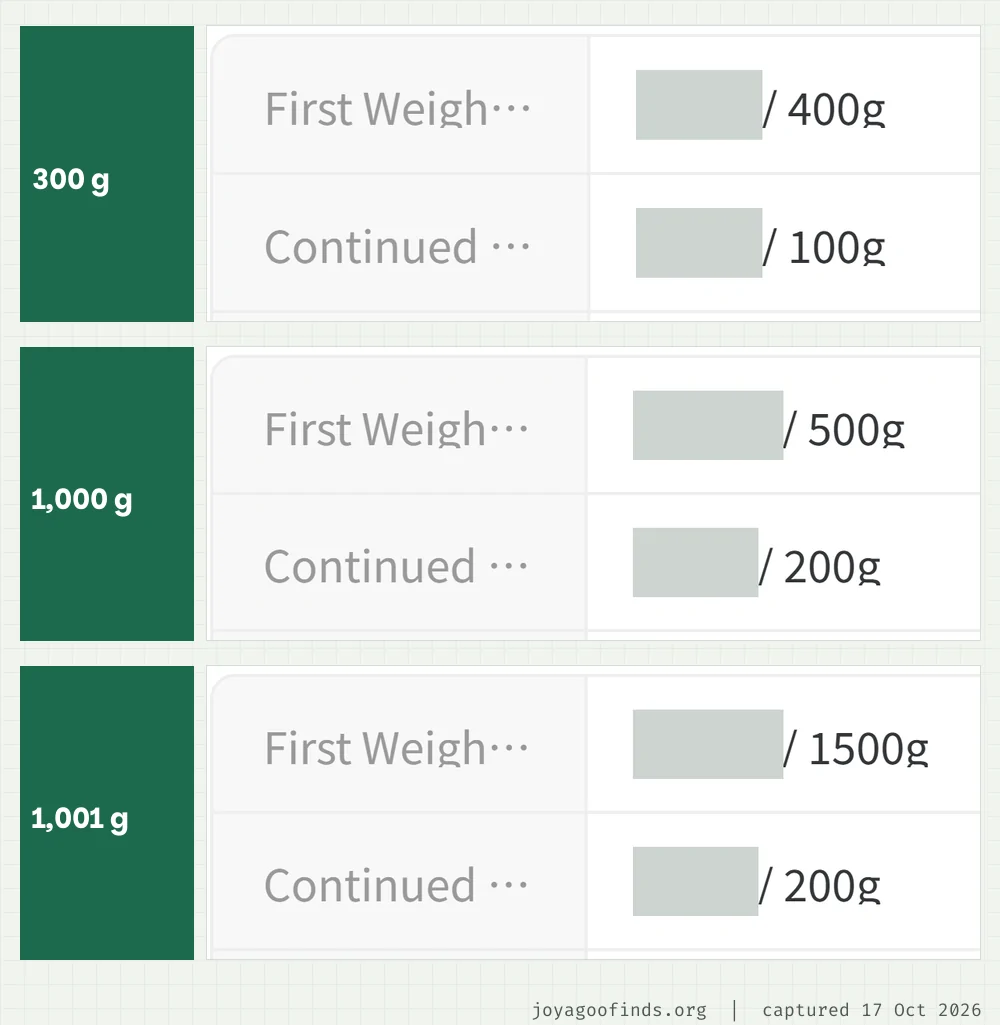
At 300 g the first-weight label ends in / 400g and the continued label in / 100g. At 1,000 g they end in / 500g and / 200g. At 1,001 g the first weight jumps to / 1500g. Nothing on the panel mentions that other bands exist; you would only find them by trying other weights.
If you check the Detail panel at one weight and then add an item, check it again. On these four lines the pair you saw may no longer apply.
What the help centre says about rounding
The help centre has a page called Weighing Standards for Each Transportation Service (last modified 22 July 2024). Despite the title, it is about size-based weight: for each channel it says when dimensions count and which divisor applies. It says nothing about first weights or steps, and its channel names (such as GD-EMS or USA Line (Small)) do not match any of the 28 line names the estimator lists today.
Actual Weight and Volumetric Weight (modified 2 March 2026) gives the size-based formula with divisors of 5000 to 8000 and points readers to the estimator. Again, no rounding. We found no help article that explains step rounding at all; the pairs exist only in the estimator.
One related fact is published: the weight a parcel is finally billed on comes from the warehouse scale, or the carrier's if it re-measures, and can be checked in the parcel details three days after dispatch (help 935).
Grams left before the next step
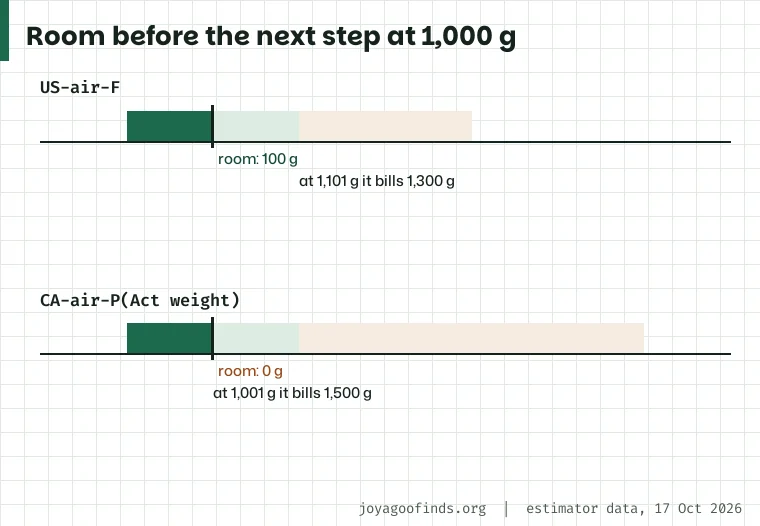
The room before the next step is how much weight could be added without the billable weight changing. On an ordinary line it is simply billable weight minus actual weight: at 1,000 g on the common pair that is 100 g, and the next change comes at 1,101 g.
On the band-switching lines the band edge can come first. At 1,000 g on CA-air-P(Act weight) the room is zero, because 1,001 g is already in the next band and bills 1,500 g. The finder checks both edges and reports whichever comes first.
Room is a reading, not a target. This site does not suggest adding, removing or repacking anything to hit an edge: packaging changes can cost an item its return eligibility, and the parcel weight is measured after packing, not before.